
Our templates are for people who like to build. FolioPage is what we made for everyone who asked us for the site, not the code: a portfolio website builder where every template is a real live site. You pick one, edit it on the page, and publish in minutes on a free address.
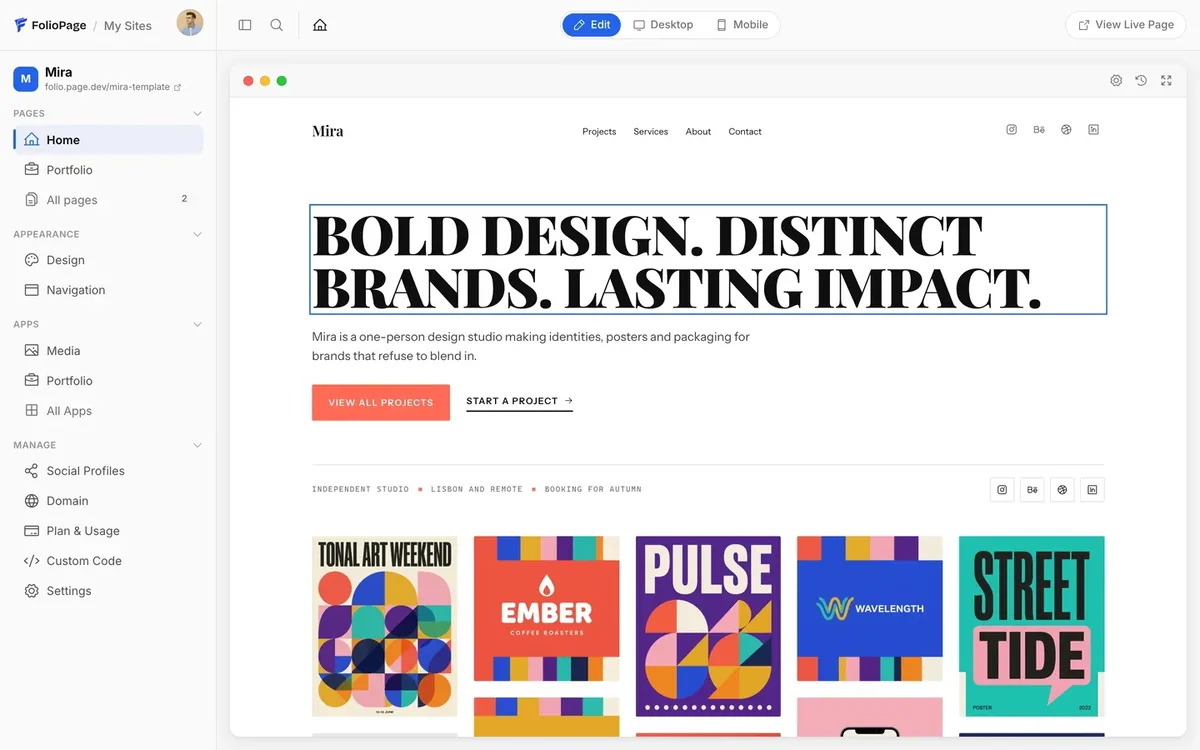
How it works
- Pick a template. There are over 100 of them, for every field from photography and design to developer, resume and agency sites. Every one is a live demo site you can open, click through and inspect before you start.
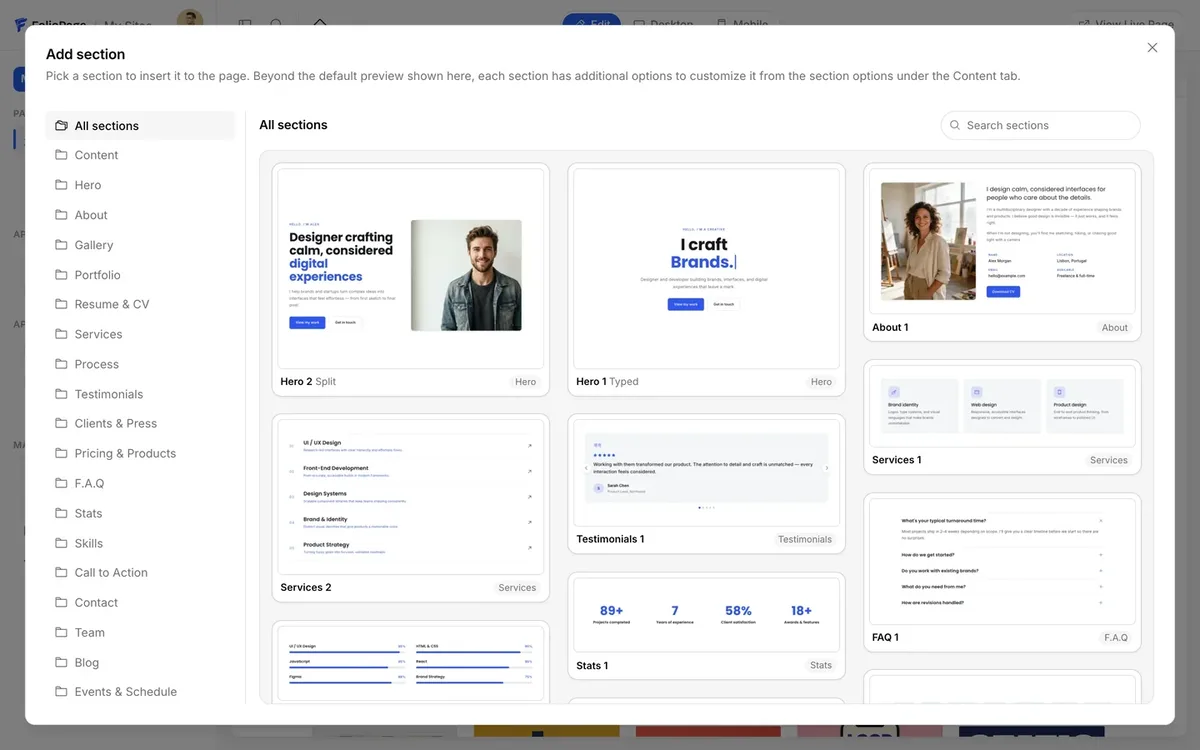
- Make it yours on the page. Click text to change it, swap pictures, add sections from the library, change fonts and colors in the design editor. Add the resume builder, a links page or a portfolio with categories.
- Publish. Your site goes live on a free
name.folio.pageaddress. Connect your own domain when you want one.
What is inside
Templates that are real sites
No mockups. Each template on FolioPage is a working site you can preview at full size, desktop and mobile. "Use this template" carries it through sign-up into a form that already has your site's name and address filled in; one click builds the site and opens the editor.
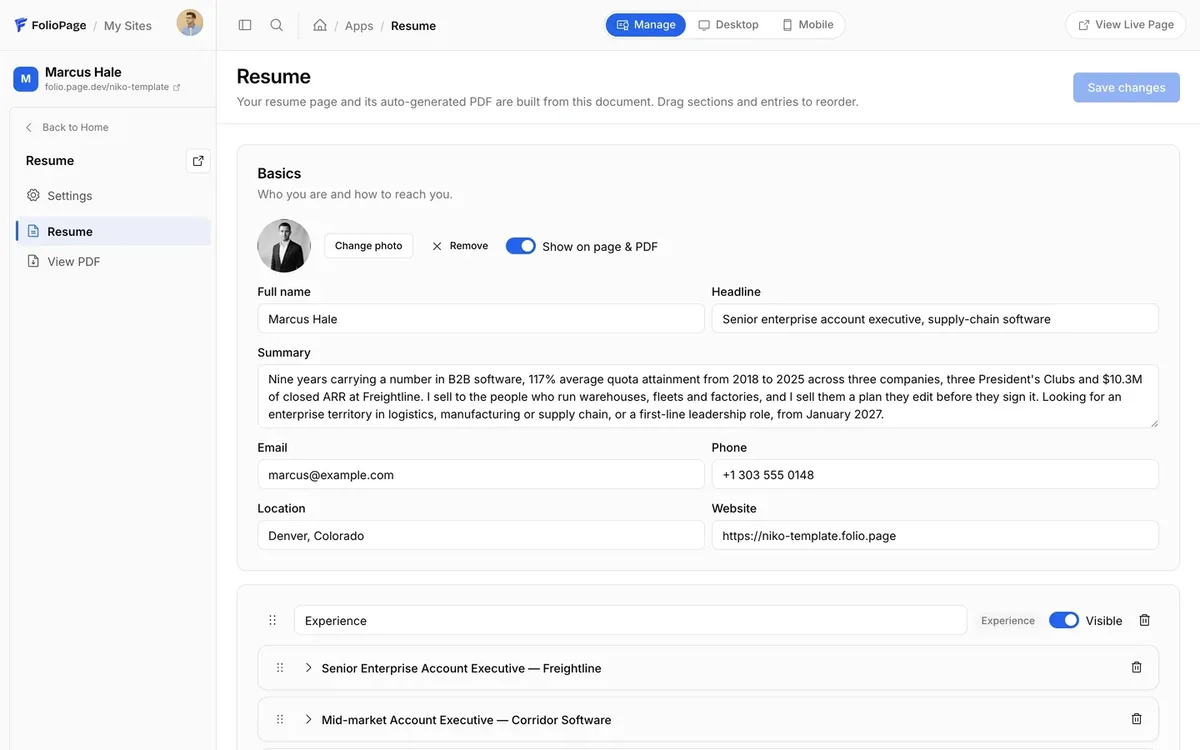
A resume builder and a links page, built in
Every site comes with a resume builder that also produces a PDF at its own address, and a Linktree-style links page. Job seekers get a resume website and a portfolio in one place; freelancers get one link for every bio.
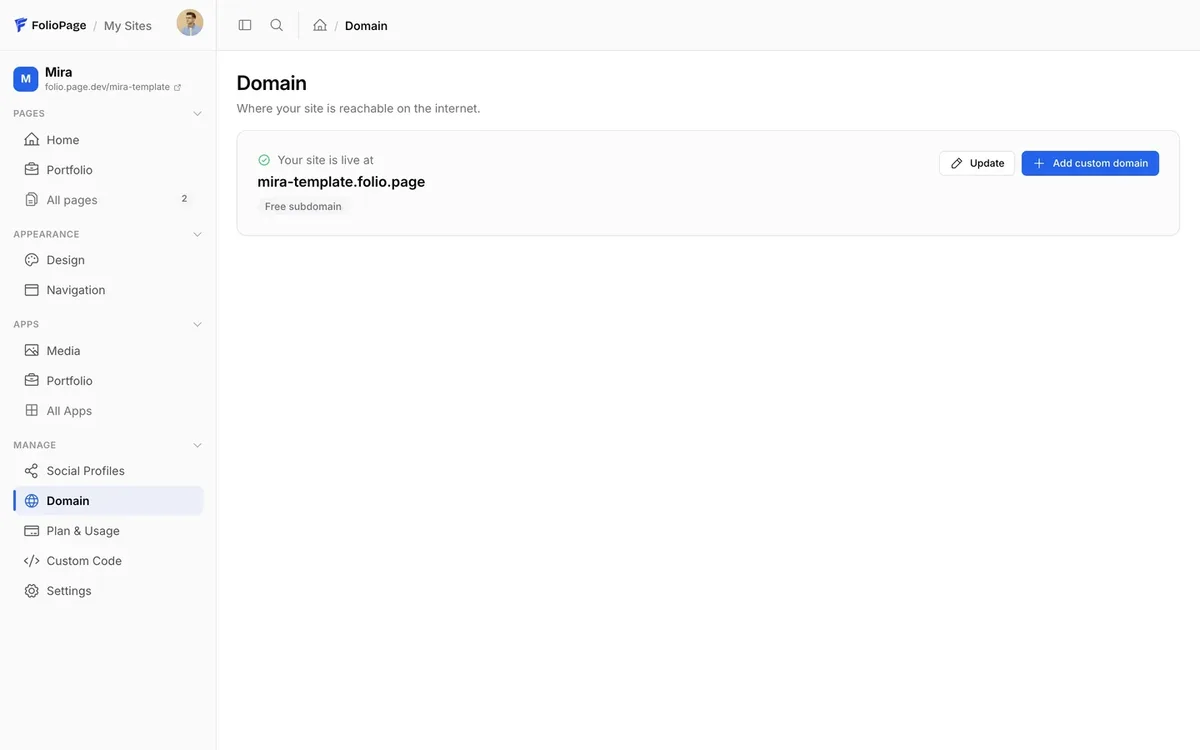
Free address, your own domain when you are ready
Sites publish on a free name.folio.page address and are served through a global edge network. On the Pro plan you connect your own domain, remove the FolioPage badge, unlock premium sections, custom code and password-protected pages, and your contact form starts delivering messages.
Edit it from Claude or ChatGPT
FolioPage has an MCP server, so an AI assistant you already use can edit your site for you: sign in once, then ask it to add a project, rewrite the about page or reorder the sections, and undo the last change if you do not like it.
For the builders
If you would rather write the code, our templates are right here and always will be. FolioPage is for the days when you want the site done, or for the friend, client or colleague who asks you "which builder should I use for my portfolio?"
Questions
Is FolioPage really made by BootstrapMade?
Yes. FolioPage is built and run by the same team, under the same company. It is a separate product with its own account, address and plans.
Can I use a BootstrapMade template on FolioPage?
No. FolioPage has its own templates, built for its editor. The two are different tools for different days.
Do I need to know Bootstrap or HTML?
No. Everything is edited on the page. Custom code is available on Pro and Max for those who want it.
What happens when I outgrow the Free plan?
Your site keeps working. You upgrade that one site to Pro or Max from the dashboard when you want a custom domain, the badge removed or the contact form delivering.